Overview
The NYCDA Student Application process needed an overhaul following the redesign of the full website. After auditing the user flow, doing user testing, and consulting with the legal, admissions, academics, and dev teams, I designed a process to guide students from initial inquiry to enrollment.
Problem
The online application was the only way a student could officially enroll in a course, and the process was fragmented, forcing each user to leave one flow and start a second one to complete their registration.
Requirements
I spoke with our Admissions, Academics, Dev, and Legal teams to gather a list of requirements.
- Collect information required for enrollment
- Capture marketing information at each step
- Seamless process from beginning to end
- “Safety nets” to guide user through completion
- Integrate with existing web application framework
Process
To understand where the pain-points were, I used screen recordings and user tests to map out the entire user flow from initial inquiry to enrollment. We quickly found that the process was fragmented, and almost impossible to complete in one session.
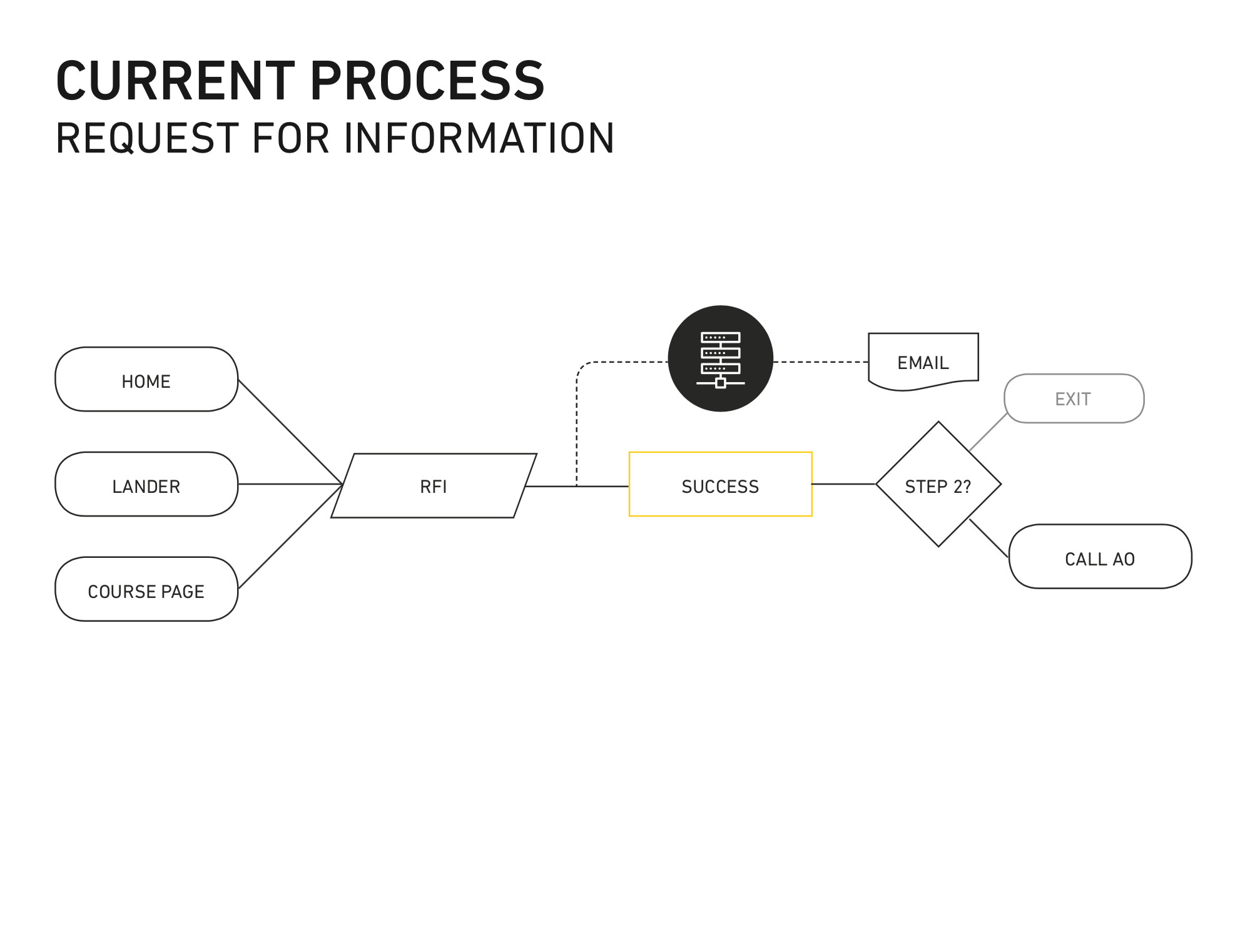
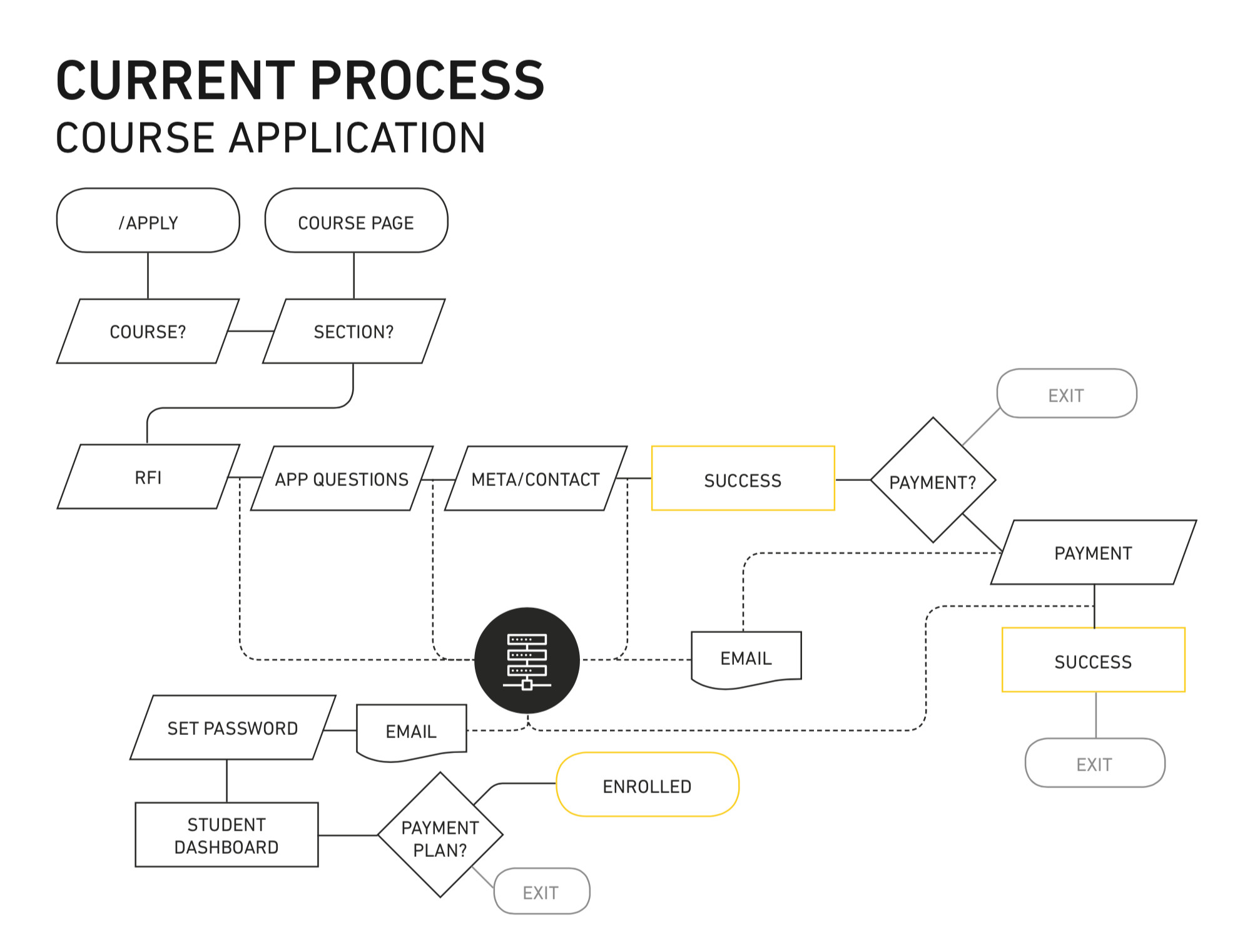
I designed a user flow that was seamless, allowing the user to continue to the next step in the process regardless of where they were. Throughout the process, interactions with the database trigger emails to the user, reminding them of their next step.
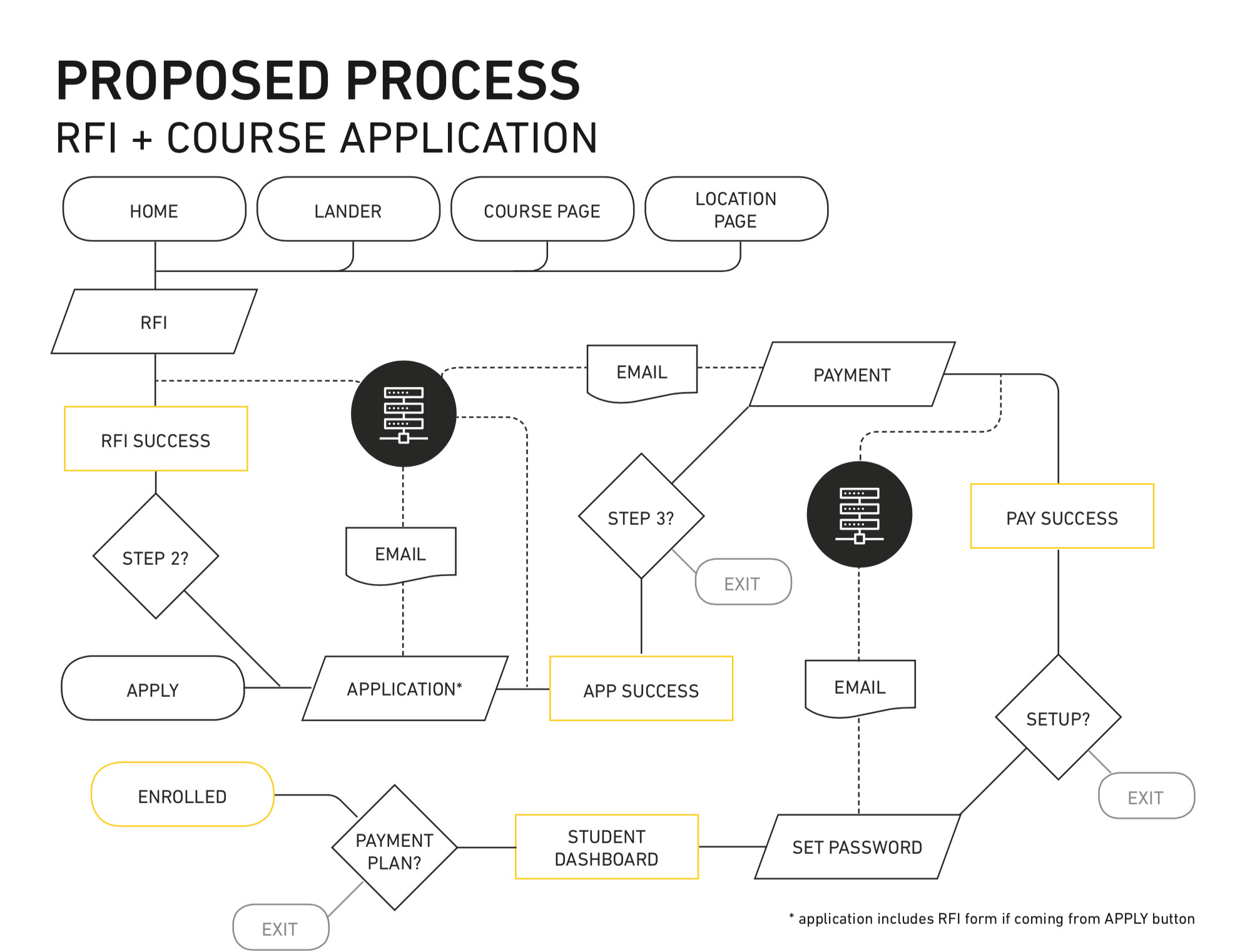
After the user flow was set, I designed each page with compelling content that would show the value of completing each step. The focus was on creating a microconversion at each step that would add up to one full conversion. This allowed us to measure retention at each step, so we could continue to optimize later on.
I built a prototype in Adobe XD to simulate the experience.
Results
After implementing the new application process and continuing to optimize, we saw improvements in some key areas.
- Increased Inquiry-to-Application rate from 33% to 50%
- Improved overall website conversion rate 2x
- 100% compliance on collecting required information